iMessage Wrapped 2026: how to see your year in texts
Apple doesn't make an iMessage Wrapped: iPhone has no yearly recap of your texts, and Messages doesn't count them. Misento, an iPhone app that helps you understand your relationships in iMessage, shows your year in its stats: who you texted most, each day's activity, your all-time records, and where each person ranked month by month.
In Misento
- Bring your messages into Misento, once, with a shortcut on iOS 26 or later or from a Mac.
- Open the Profile tab. Under Your people, tap See All on Top Contacts to open Most Sent, and set its time menu to Last year.
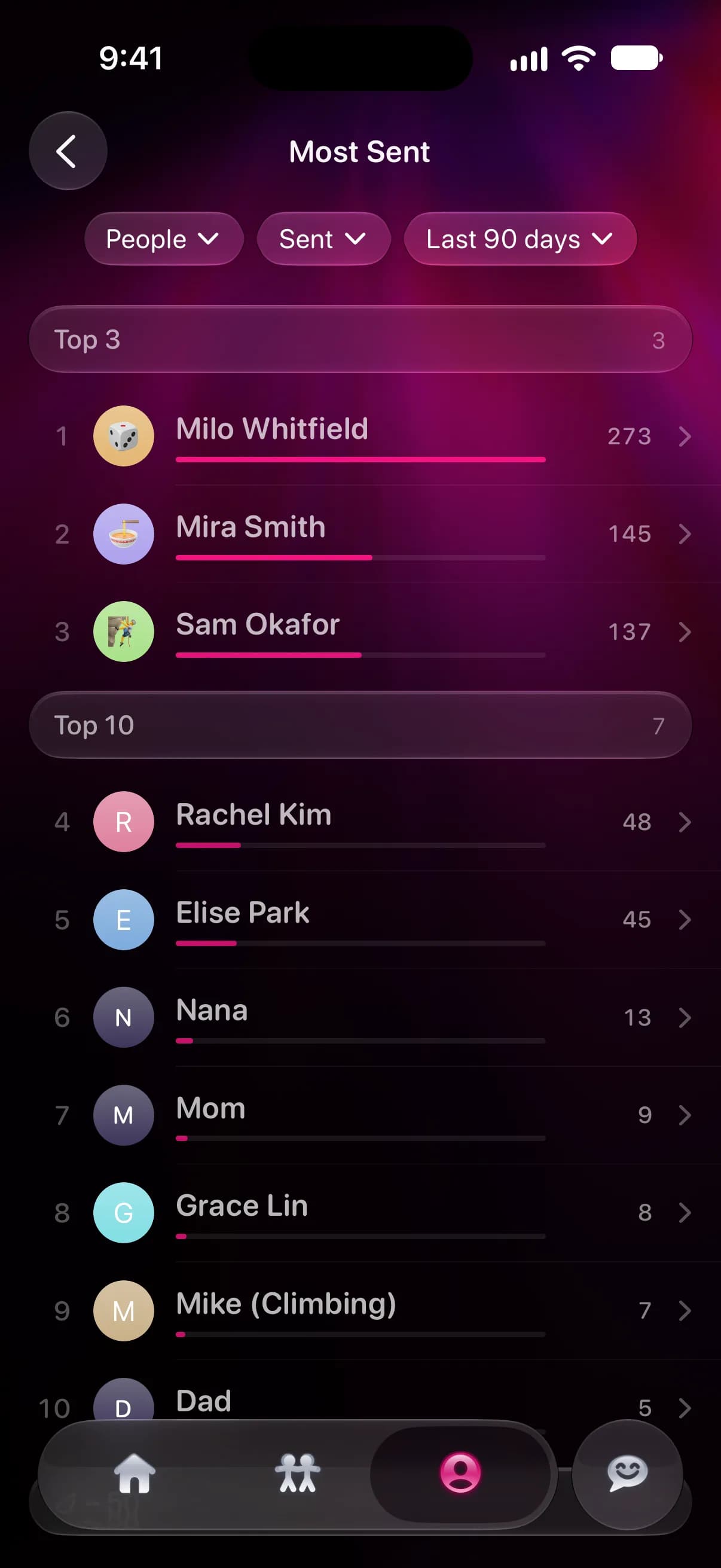
Last year and All time need Misento Pro. The last 7, 30 and 90 days are free.
- Under Your habits, Message Activity shades each day by how many messages you sent and received, across all your chats. Tap See All Years to see every year with its total.
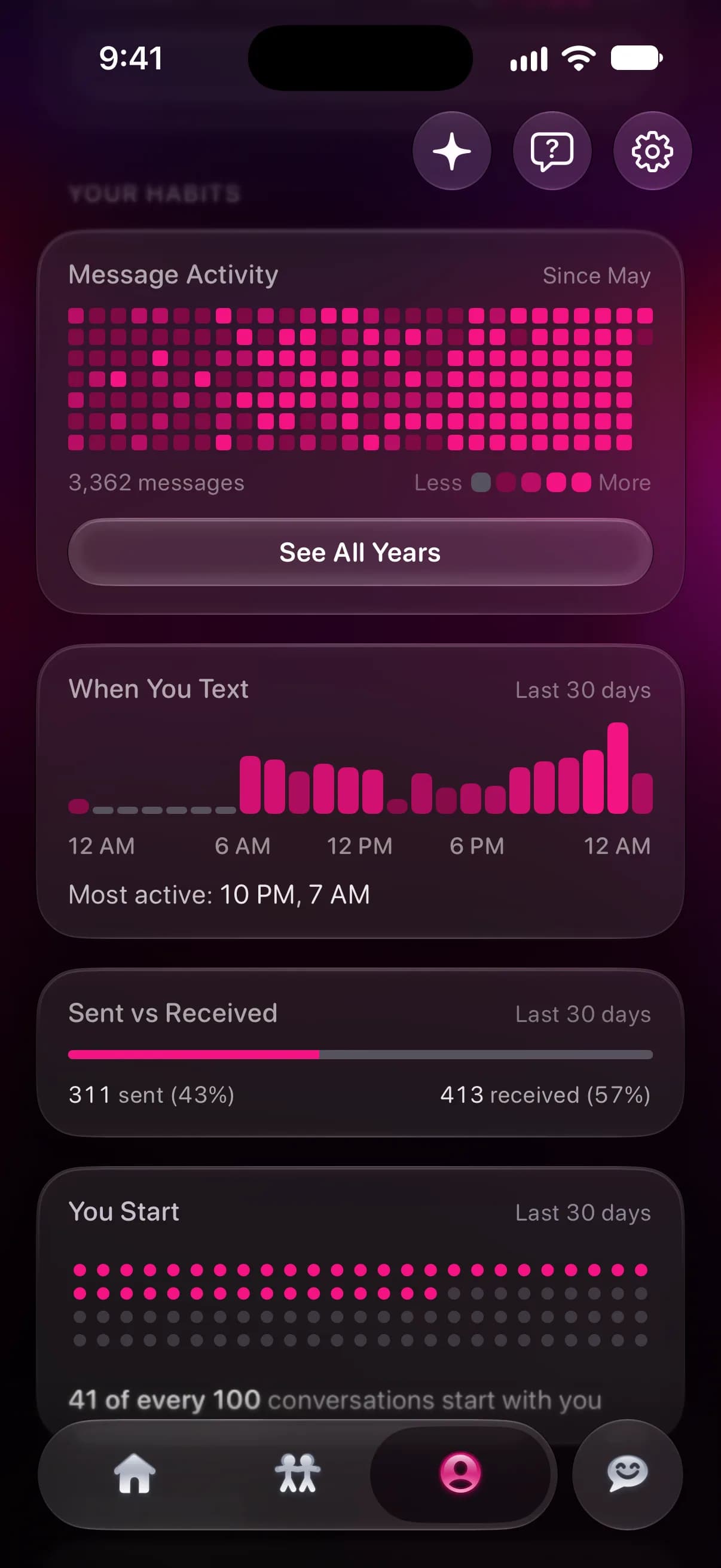
- Further down, Your records holds your all-time highs: your busiest day, your longest streak and who it was with, the longest message you sent and received, your oldest chat, your longest call, and your most messages after midnight. You can share each one as an image.
One person's year
Open a conversation from the Contacts tab and switch to the Analytics tab. Under Highlights:
- Streak counts the days in a row with at least one message between you, and shows your best.
- You Start shows the share of your conversations that began with you, across your whole history. Who texts first explains how it's counted.
- Where They Rank charts where this person placed among everyone you text over the last 12 months, with their current and best rank.
- Oldest Messages shows how the chat began.
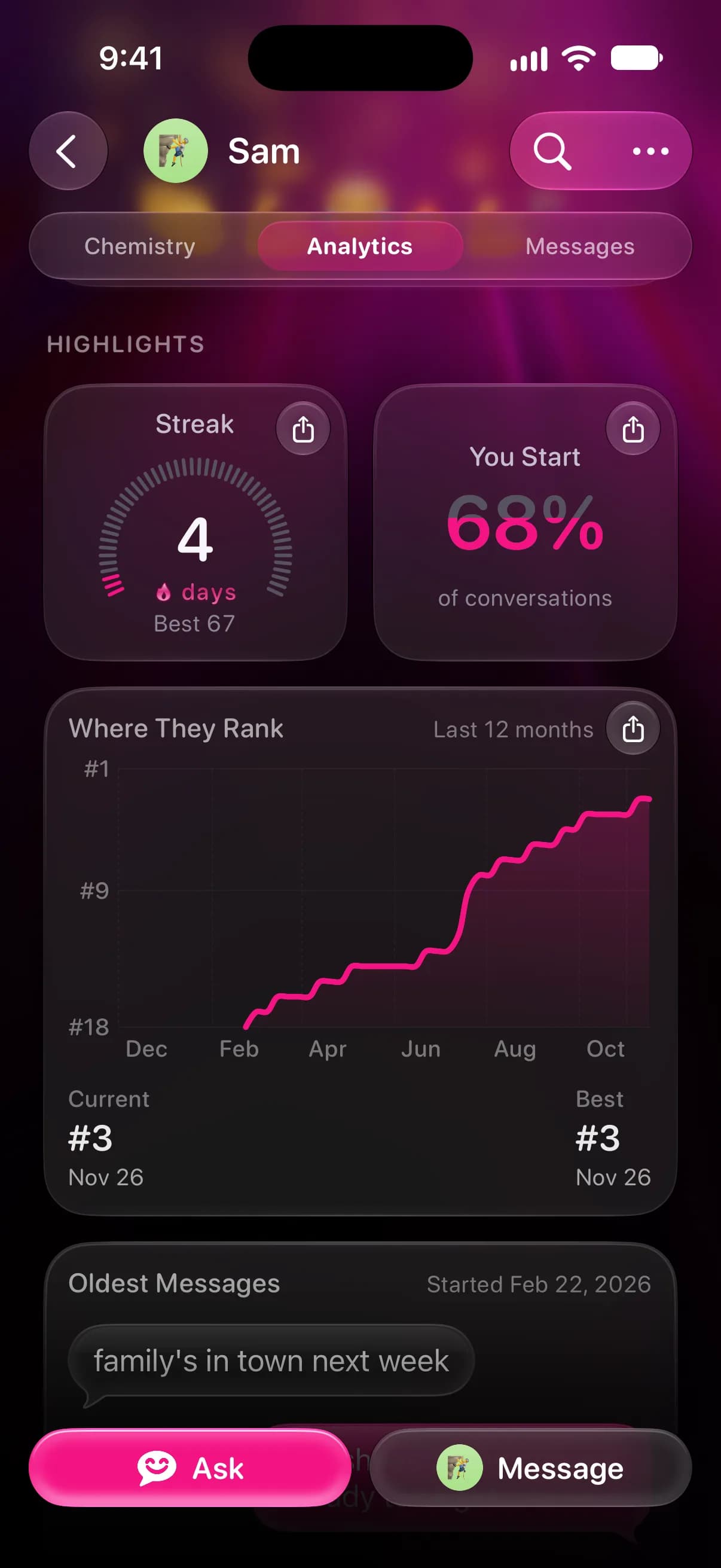
Message Activity on the same tab does for one chat what the Profile tab does for all of them, and texting less than you used to shows how to read it year by year.
Ask about your year
Misento's Ask answers questions in plain words, like who you texted most in 2026 or which month you and your sister talked the most. It counts from the conversations you let it use, and links each answer to the messages behind it.
Ask uses AI, so the messages it needs go through Misento's servers to AI providers. Free accounts get a monthly allowance of questions. More on iMessage AI.
Misento's Wrapped
Every Friday evening, Misento makes a Wrapped of your week: how many texts you sent and got each day, who you texted most, your streaks, your group chats and the words you used. It's free, and you can share any card as an image.
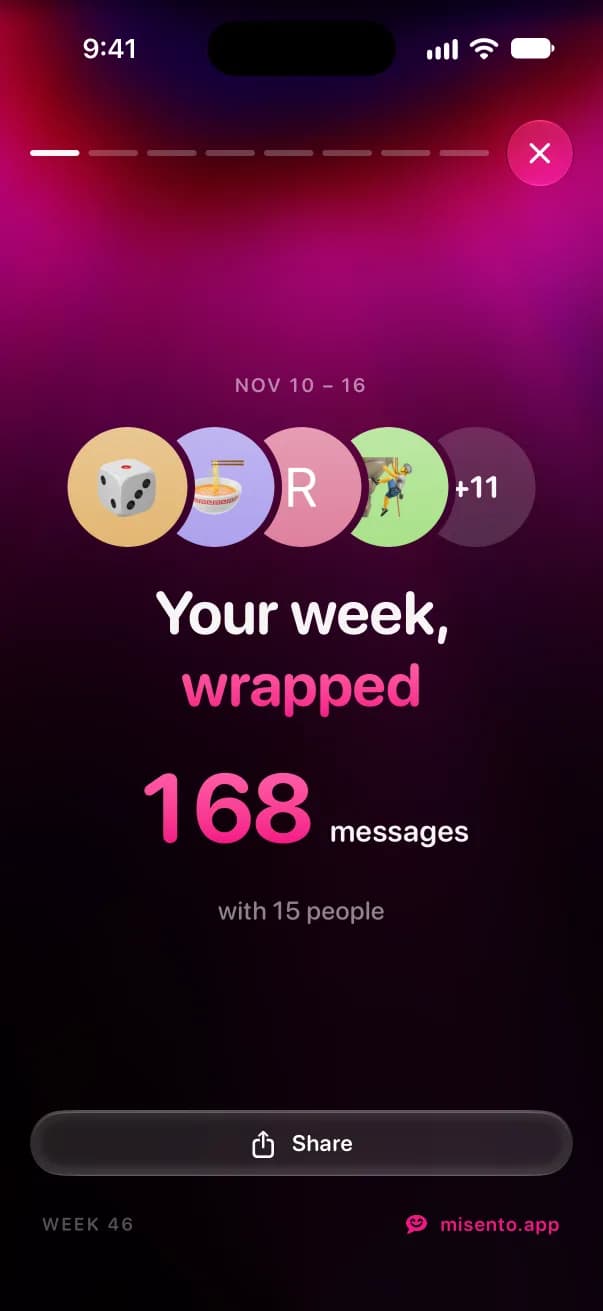
It covers one week at a time. For the year, use the screens above.
What the numbers show
A year of counts shows who you texted and when. It doesn't show how close you are: the person you text every day may be the one you plan errands with, and a friend you see every weekend may barely show up.
Questions
Is there an iMessage Wrapped for 2026?
Not from Apple. iPhone has no yearly recap of your messages, and Messages doesn't count them. Misento's Wrapped is weekly, and its stats above cover the year.
How do I see how many texts I sent this year?
In Misento, open Message Activity on the Profile tab and tap See All Years. Each year's total counts the messages you sent and received across all your chats. To count only the ones you sent, use Ask, or set Most Sent to Sent and Last year to see them person by person.
How far back can I see?
As far back as the messages on your iPhone go. If Keep Messages in Settings > Apps > Messages is set to 30 Days or 1 Year, older messages are deleted, and neither Messages nor Misento can count them.
More on Misento's weekly iMessage Wrapped.
Seif makes Misento.
Misento brings in your messages on iPhone with a shortcut, on iOS 26 or later, or from a Mac.
Get Misento for iPhone